

All company files in one place. Stored in Germany.
SecureCloud is secure cloud storage for business, GDPR compliant and operated in Germany. Your team works in Explorer, in the browser or in the app as usual. Clients and partners receive files by link, without an account of their own.


These organisations trust SecureCloud.



Scattered today. In one place tomorrow.
Many teams work with a US cloud service, email attachments or their own file server today. Choose your starting point to see what changes and how the move works.
- Data sits with a provider based in the US
- Your data protection officer asks about server location and access under US law
- You collect the evidence for clients and chambers yourself
- Data centers in Germany, provider with no US parent
- Sign the DPA digitally, TOM and certificates in one place
- Folders, links and apps work as you are used to
- Create a trial account and take over the folder structure
- Upload files with the sync client
- Invite the team, recreate share links, end the old service
- Outlook and Teams are a fixed part of the working day
- Confidential files should be stored in Germany
- Client or patient data needs a clearly defined place
- Microsoft 365 stays, confidential files live in SecureCloud
- Outlook add-in and Teams integration at no extra cost
- Sign in with Microsoft Entra ID via single sign-on, included from Advanced with no add-on
- Decide which folders move to SecureCloud
- Roll out the Outlook add-in to the team
- Set up single sign-on if needed
- Large attachments fail at the mailbox limit
- Nobody knows for sure which version is current
- A lost USB stick can be a reportable data breach
- Files by link, up to 25 GB in Business, no fixed size limit from Advanced
- One file for everyone, with version history
- Links with password and expiry date, revocable at any time
- Create a folder structure for clients and projects
- Install the Outlook add-in: attachments go out as a link
- Give clients an upload link instead of an email address
- Remote access only via VPN
- Hardware, updates and backups are on you
- You reach externals only by email attachment
- Access from anywhere, in Explorer as usual
- We run the system; Enterprise adds a backup at a second site
- Externals get a link with a password
- Take over the folder structure and rights
- Upload data with the sync client
- Keep using the drive in parallel until the switchover
Every change is kept. Including the one that was a mistake.
Overwritten, deleted or encrypted by malware: you bring back the state you need. Pick a version on the left to see its content on the right.
Content unreadable: the file was encrypted by malware on one computer. Choose an older version.
§ 4 Term: 36 months.
§ 5 Fees: per price list 2027.
§ 6 Liability: capped at the order value.
§ 4 Term: 36 months.
§ 5 Fees: per price list 2027.
§ 6 Liability: capped at the order value.
§ 4 Term: 36 months.
§ 5 Fees: per price list 2027.
§ 6 Liability: as provided by law.
§ 4 Term: 36 months.
§ 5 Fees: per price list 2026.
§ 6 Liability: as provided by law.
§ 4 Term: 24 months.
§ 5 Fees: per price list 2026.
§ 6 Liability: as provided by law.
Enterprise also backs up the data at a second location.
Work wherever you are. With the programs you know.
Word, Excel, your specialist software and Explorer stay. SecureCloud delivers the files to wherever your team works.

All folders appear as a drive. Files only download when opened and take up hardly any space on the computer.

A full copy of selected folders, also usable offline. Changes sync back as soon as you are online.

Open and share files on the go, upload photos directly, sign in with Face ID or Touch ID.



Manage shares and edit Office documents together in the browser, right inside SecureCloud.

Storing is the start. Sharing and editing are included.
Share files and folders by link, upload links for clients, password and expiry date.
Edit Word, Excel and PowerPoint files at the same time in the browser, without downloading.
Have contracts and documents signed electronically, also qualified under eIDAS.
Centrally enforced multi-factor sign-in with FIDO2 keys, for teams without their own directory such as Entra ID.
One official place for every file. And IT keeps track.
When employees send company files through private cloud accounts or free transfer services, IT loses track of where company data is. SecureCloud gives the whole team enterprise file sync and share (EFSS) that is easier to use than the workaround. IT decides centrally who can see and share what.
Each department gets an area with its own libraries and its own storage quota. The files belong to the area and stay there when someone changes teams.
Roles decide who may create libraries, generate links or use the app. You define your own roles from Advanced.
Four administrator roles split the tasks. A team lead manages users and groups, the data protection officer sees only the logs.
The log shows who accessed a file, changed it or granted rights. Export is available from Advanced.
You know where your data is. And you can prove it.
For reviews by data protection officers, professional chambers or clients, what counts is location, protection and paperwork. Here you see all three.
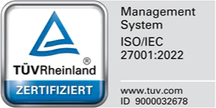
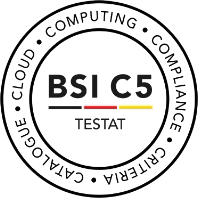
Our certificates and attestations. With number, reference date and issuer.
Storage for the whole team. Not capped per person.
Every licence's storage goes into one shared pool. Whoever stores a lot uses the others' space too. Choose your team size.
Prices and all differences between the editions are on the pricing page.
Extend. When your team needs more.
Advanced Access Management is an add-on for companies with many systems: one central control point for sign-in and access rights. On top come sharing from Outlook, the MCP server for AI tools and the apps for every device.


Why customers choose SecureCloud. In their own words.
“For our platform decision it was clear: no third countries, no grey areas, no compromises on data control.”
“There can be no grey area, neither technical nor legal.”
How to get started.
Request a consultation
In a short call we settle the number of users, the edition and your workflows. Then we set up your access, including a trial.
Sign the DPA, move your folders
You sign the data processing agreement under Art. 28 GDPR digitally. Existing folders move over via the sync client or upload.
Bring in your team and external partners
You set permissions per person and folder. External partners join via a link, without an account of their own.
Frequently asked questions about secure cloud storage.
Is SecureCloud GDPR compliant?
Yes. The data is stored in data centers in Germany, you sign the data processing agreement under Art. 28 GDPR digitally, and the technical and organisational measures are documented. There is no general GDPR certification. The evidence is the ISO/IEC 27001 certification by TÜV Rheinland and, for the Advanced and Enterprise editions, the BSI C5 attestation.
Where are the servers, and does the US CLOUD Act apply?
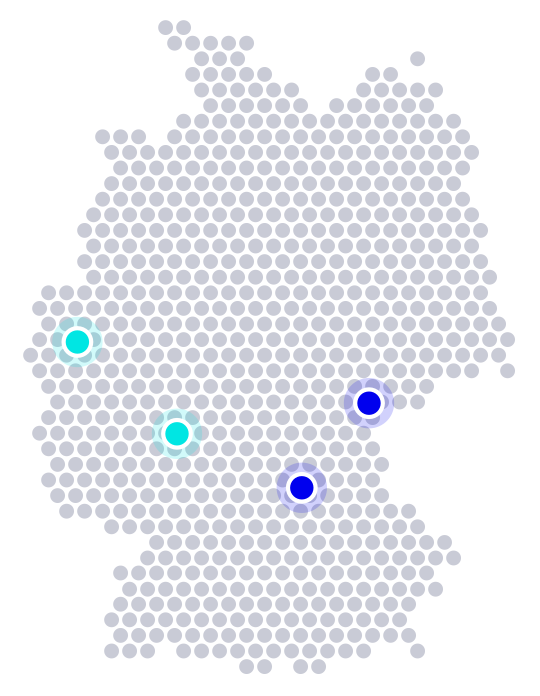
The data is stored in data centers of noris network AG in Nuremberg and Hetzner Online GmbH. In the Enterprise edition, an additional backup is kept at a second site, in Frankfurt am Main and Düsseldorf. The provider is SecureCloud GmbH. It is subject to German law only and has no US parent company subject to the US CLOUD Act.
Can I use SecureCloud alongside Microsoft 365?
Yes, that is the most common case. Outlook and Teams stay in use, confidential files live in SecureCloud. The Outlook add-in sends attachments as a secure link, the Teams integration shares files from SecureCloud in chat. Sign-in with Microsoft Entra ID via single sign-on is included from Advanced, with no add-on needed.
How do I send large files to clients securely?
You create a link with a password and expiry date. The recipient downloads the file in the browser, without an account. In Business a file can be up to 25 GB, from Advanced there is no fixed size limit per file. More on the data exchange page.
What is enterprise file sync and share (EFSS)?
EFSS is software that lets companies store files centrally, sync them across all devices and share them with people inside and outside the company. Unlike consumer cloud storage, it includes rights management, logging and data processing agreements. SecureCloud is an EFSS solution with data centers in Germany.
How do I replace private cloud accounts in the team?
You create an area for each department and move the folders from the private accounts there. External people get links with a password and an expiry date and need no account. That leaves employees no reason to send company files through private accounts. This is what enterprise file sharing means in practice: one official tool instead of many private ones.
How do I control access across many departments?
Areas map departments, with their own libraries and storage quota. Groups suit projects across departments. Roles decide who may create libraries or generate links; custom roles are available from Advanced. In administration, four administrator roles split the tasks, for example user management and log review.
What happens to the files when someone leaves the company?
You transfer the person's libraries to someone else. The library's shares and links stay in place; you set shares on individual subfolders again. Files in an area belong to the area anyway and stay there.
What do I do if a laptop or phone is lost?
You disconnect the device in the web app under "Devices" and choose to delete the synced files as soon as the device goes online again. The files in the cloud stay intact.
Can I restore deleted or overwritten files?
Yes. Every change creates a version that you restore with one click. Business keeps versions for 90 days, Advanced and Enterprise for 365 days. You bring back deleted files from the library's trash.
Can I use SecureCloud as a data room?
For many cases, yes. You create one library per transaction and give bidders, auditors or buyers links with a password, an expiry date and preview only. At the end you revoke the links, and the library stays as an archive.
How much does SecureCloud cost?
The price depends on the edition and the number of users. Business starts at 2 users, Advanced and Enterprise at 10. Small teams see their price directly in the order, from 10 users you receive a quote in a consultation.