


SecureCloud or Google Drive? Your data in Germany.
Google Drive is part of Google Workspace, together with office apps, email and video meetings. SecureCloud is cloud storage from SecureCloud GmbH with data centers in Germany.
As of 11/2026 · Sources and method
These organisations trust SecureCloud.




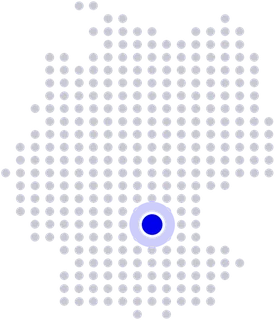
Your data stays in Germany. In every edition, with no add-on.
Where data is stored determines which law applies to it and what you have to prove in your own documentation.
Sign where your documents are. With SecureSign as an add-on.
In the end a contract needs a signature, and that should not happen in a third system.
Share files from Outlook and Teams. Included in every edition.
Sharing happens where your team already writes and coordinates.

The comparison in detail. With a source for every entry.
As of 11/2026, checked on 20 Nov 2026. No prices, because SecureCloud quotes prices on request. Sources and method
Which one fits you? What matters is how your team works.
Our certificates and attestations. With number, reference date and issuer.
The switch takes three steps. No deadline, at your own pace.
You decide when each team moves. Your current system keeps running until everything has been moved.
Clarify requirements
Together we clarify the number of users, edition, folder structure and permissions. Then we set up your access.
Start with one team
One team works in SecureCloud first, free for 14 days. Your current system keeps running during this time.
Move data, onboard the team
You move folders with the sync client or by uploading in the browser at no extra cost, or our administration team handles the move (price on request). You set up folder permissions and shares anew, then the remaining users join.
Frequently asked questions about SecureCloud and Google Drive.
Where does Google Drive store data?
From Business Standard, Google offers a choice of the Europe or United States region for data at rest. Customers set the processing location from Enterprise Plus. According to Google, a copy in a specific country is possible through paid add-ons to Enterprise Plus (as of 11/2026). SecureCloud stores your data in data centers in Germany in every edition.
Who is my contractual partner for Google Workspace?
For customers with a billing address in Germany, according to Google, it is Google Cloud EMEA Limited in Dublin (as of 11/2026). With SecureCloud, your contractual partner is SecureCloud GmbH in Neumarkt in der Oberpfalz.
Does Google Workspace have a BSI C5 attestation?
Yes. According to Google, Google Workspace including Google Drive is attested against C5:2020 and ISO/IEC 27001 certified (as of 11/2026). SecureCloud is BSI C5 attested (Advanced and Enterprise; attestation) and ISO/IEC 27001 certified (TÜV Rheinland).
Can I use a qualified electronic signature in Google Docs?
According to Google, eSignature in Google Docs is designed for simple electronic signatures under eIDAS and is included from Business Standard (as of 11/2026). With SecureSign you can also sign with an advanced or qualified signature. SecureSign is at extra cost: integrated into SecureCloud from Advanced, and a separate product without integration with Business. The qualified signature is billed separately.
Can I use SecureCloud alongside Google Workspace?
Yes. You keep your existing environment and store in SecureCloud the files that should be kept in Germany and shared with or signed by external partners. There is no direct import: you upload the folders to SecureCloud with the sync client or in the browser, at no extra cost.
Sources and method. So you can check every statement.
All information as of 11/2026, checked on 20 Nov 2026.
We compare SecureCloud (Business, Advanced, Enterprise) and Google Drive (Workspace Starter, Standard, Plus, Enterprise) using the publicly available product, pricing, help and certificate pages of both providers, last accessed on 20 Nov 2026. We do not compare prices, because SecureCloud quotes prices on request, or subjective criteria such as ease of use. Where a provider does not mention a feature on its pages, we write “Not in the published feature set” and not “no”.
Products and plans change. Every entry shows the date we checked it. If any information looks out of date, write to support@securecloud.de.
- 1SecureCloud, “Security and evidence” page (TÜV Rheinland certificate no. 01 153 2300948, BSI C5 attestation, data centers), accessed on 10 Nov 2026. www.securecloud.de/en/security-evidence
- 2Google Cloud, BSI C5:2020, accessed on 20 Nov 2026. cloud.google.com/security/compliance/bsi-c5
- 3Google Cloud, ISO/IEC 27001, accessed on 20 Nov 2026. cloud.google.com/security/compliance/iso-27001
- 4Google Workspace Admin Help, Visitor sharing, accessed on 20 Nov 2026. knowledge.workspace.google.com/admin/drive/allow-sharing-to-non-google-users-with-visitor-sharing
- 5Google Workspace Admin Help, Data covered by data regions, accessed on 20 Nov 2026. knowledge.workspace.google.com/admin/compliance/data-covered-by-data-regions
- 6SecureCloud, “Pricing” page (editions, feature comparison, FAQ), accessed on 10 Nov 2026. www.securecloud.de/en/pricing
- 7Google Workspace, eSignature, accessed on 20 Nov 2026. workspace.google.com/intl/de/resources/esignature/
- 8Google Workspace, pricing and editions, accessed on 20 Nov 2026. workspace.google.com/intl/de/pricing.html
- 9SecureCloud, imprint, accessed on 10 Nov 2026. www.securecloud.de/en/imprint
- 10Google Cloud, Google contracting entity, accessed on 20 Nov 2026. cloud.google.com/terms/google-entity
- 11Google Workspace, Subprocessors, accessed on 20 Nov 2026. workspace.google.com/intl/en/terms/subprocessors.html
- 12Google Workspace Admin Help, Choose a geographic location for your data, accessed on 20 Nov 2026. support.google.com/a/answer/7630496
- 13Google Workspace Admin Help, Turn eSignature on or off for users, accessed on 20 Nov 2026. knowledge.workspace.google.com/admin/drive/turn-esignature-on-or-off-for-users
- 14Google Drive Help, system requirements for Drive for desktop, accessed on 20 Nov 2026. support.google.com/drive/answer/2375082
- 15Google Drive Help, Files you can store in Google Drive, accessed on 20 Nov 2026. support.google.com/drive/answer/37603
- 16Google Workspace Admin Help, About Assured Controls and Assured Controls Plus, accessed on 20 Nov 2026. support.google.com/a/answer/13880647
More comparisons